- Why Your Primary Category is Your #1 SEO Lever
- Step-by-Step: How to Pick the Winner
- 1. The Specificity Test
- 2. Check the Competition
- 3. Use the "Hidden" List
- Primary vs. Secondary Categories
- The LimeLocal Synergy
- Take the Next Step
- FAQ: Business Category Essentials
- Can I have more than one category?
- Does changing my category hurt my rankings?
- How often should I update my category?
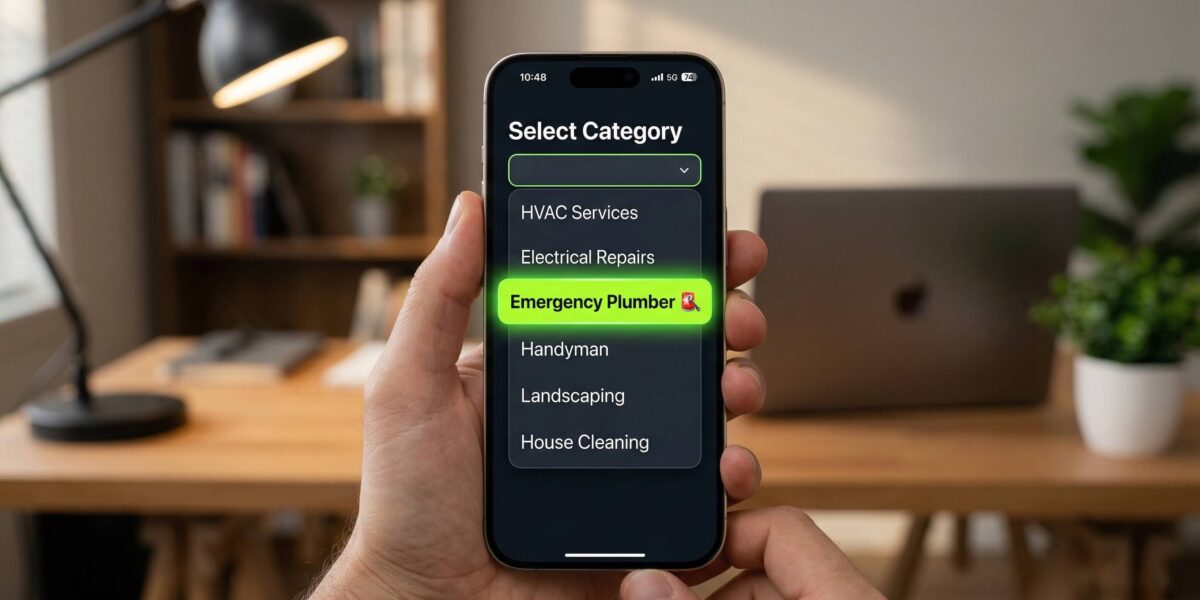
To choose the best primary category for your Google Business Profile, select the most specific option that describes your core business activity. Google’s algorithm uses this category as the primary signal for relevance. Choosing a specific category like “Emergency Plumber” over a broad one like “Contractor” ensures you appear in highly targeted local searches and AI-driven recommendations.
This is a key part of our Ultimate Guide to Local SEO & GBP Synergy, which covers how your website and Google Business Profile work together to dominate local search.
Why Your Primary Category is Your #1 SEO Lever
Think of Google as a giant library. Your “Primary Category” is the label on the spine of your book. If you label yourself “Business,” you’re hidden in a massive section. If you label yourself “Boutique Accountant for Startups,” the librarian (Google’s AI) knows exactly who to show you to.
Your primary category determines:
- Which “Near Me” searches you show up for. Google matches your category to search intent before it looks at anything else.
- The specific features you get in your profile (e.g., “Menu” for restaurants or “Booking” for salons).
- Your competition. A broad category pits you against giants; a specific category lets you win your local neighborhood.
Step-by-Step: How to Pick the Winner
Don’t just pick the first thing that looks “okay.” Follow this 3-step process to find your “Entity Match.”
1. The Specificity Test
Always go as deep as possible. If you are a barber who only does men’s hair, don’t just choose “Hair Salon.” Choose “Barber Shop.” If you specialize in a specific type of food, don’t just choose “Restaurant.” Choose “Sushi Restaurant” or “Taco Restaurant.”
The rule is simple: the more specific your category, the less competition you face and the more relevant your listing appears to searchers.
2. Check the Competition
Search for your top services in your city. Look at the top 3 businesses in the “Map Pack.” What category are they using? If they are all using a specific category and you are using a broad one, they will likely outrank you for those specific keywords.
Open Google Maps, search for what you do in your area, and click on each of the top 3 results. Their category is displayed right below their business name. Match or beat their specificity.
3. Use the “Hidden” List
Google has over 4,000 categories, but they only show a few in the dropdown. You have to start typing to see the niche options. Start with broad terms related to your business and explore what Google suggests. You might find a perfect match you didn’t know existed.
Primary vs. Secondary Categories
You get one Primary Category and up to nine Secondary Categories. Think of it this way:
- Primary: Your “money” service — the one thing you want to be known for.
- Secondary: Your supporting services that capture additional search traffic.
For example, an HVAC business might use:
- Primary: “HVAC Contractor”
- Secondary: “Air Conditioning Repair Service,” “Heating Contractor,” “Furnace Repair Service”
The LimeLocal Synergy
One of the biggest mistakes business owners make is having a specific category on Google (like “Personal Trainer”) but a generic website title (like “Fitness Website”).
LimeLocal solves this by automatically aligning your website’s technical metadata with your chosen category. When you select your industry in the LimeLocal builder, we inject the corresponding Schema.org code into your site. This creates a “Double-Signal” to Google: your Map listing and your website say the exact same thing, which is the fastest way to build trust and rank higher.
Take the Next Step
Choosing your category is just the beginning. To see how this fits into your overall digital strategy, check out our Ultimate Guide to Local SEO & GBP Synergy. It covers how to connect your perfectly categorized profile to a high-speed, one-page website that actually converts visitors into customers.
FAQ: Business Category Essentials
Can I have more than one category?
Yes, you can have one Primary Category and up to nine Secondary Categories. Your primary category carries the most weight, so use it for your core service. Use secondary categories for additional services.
Does changing my category hurt my rankings?
It may cause a temporary shift as Google re-indexes your business entity. However, if you are moving from a broad category to a more specific one that better describes your work, your long-term rankings for relevant keywords will almost always improve.
How often should I update my category?
Only change it if your core business model changes or if Google releases a new, more specific category that fits your business better. Constantly changing it can confuse the search algorithm and hurt your authority.